How To Film Youth Sports as a Parent — A Practical Guide
Veo
Want better footage of your child playing sports? This guide covers camera positioning, settings, and the one setup that lets you watch the game and get the shot.
Most parents film youth sports the same way: phone held up in one hand, trying to follow the ball while staying present at the game. The footage is shaky, the framing is off, and the best moments happen when the camera is pointing somewhere else. This guide covers how to get consistently good footage of your child playing, without missing the game yourself.
The problem with filming on your phone
Filming on a phone works fine for a birthday party. It does not work well for youth sports because you are trying to do two things at once: watch your child play, and operate a camera. Neither gets your full attention.
The other problem is zoom. Phone cameras are not built for the distances involved in a sports field. Digital zoom degrades video quality quickly, and at 50 meters your footage looks more like abstract art than a soccer game.
There are three practical solutions, depending on how involved you want to get.
Three approaches to filming youth sports
Option 1. Automated camera on a tripod
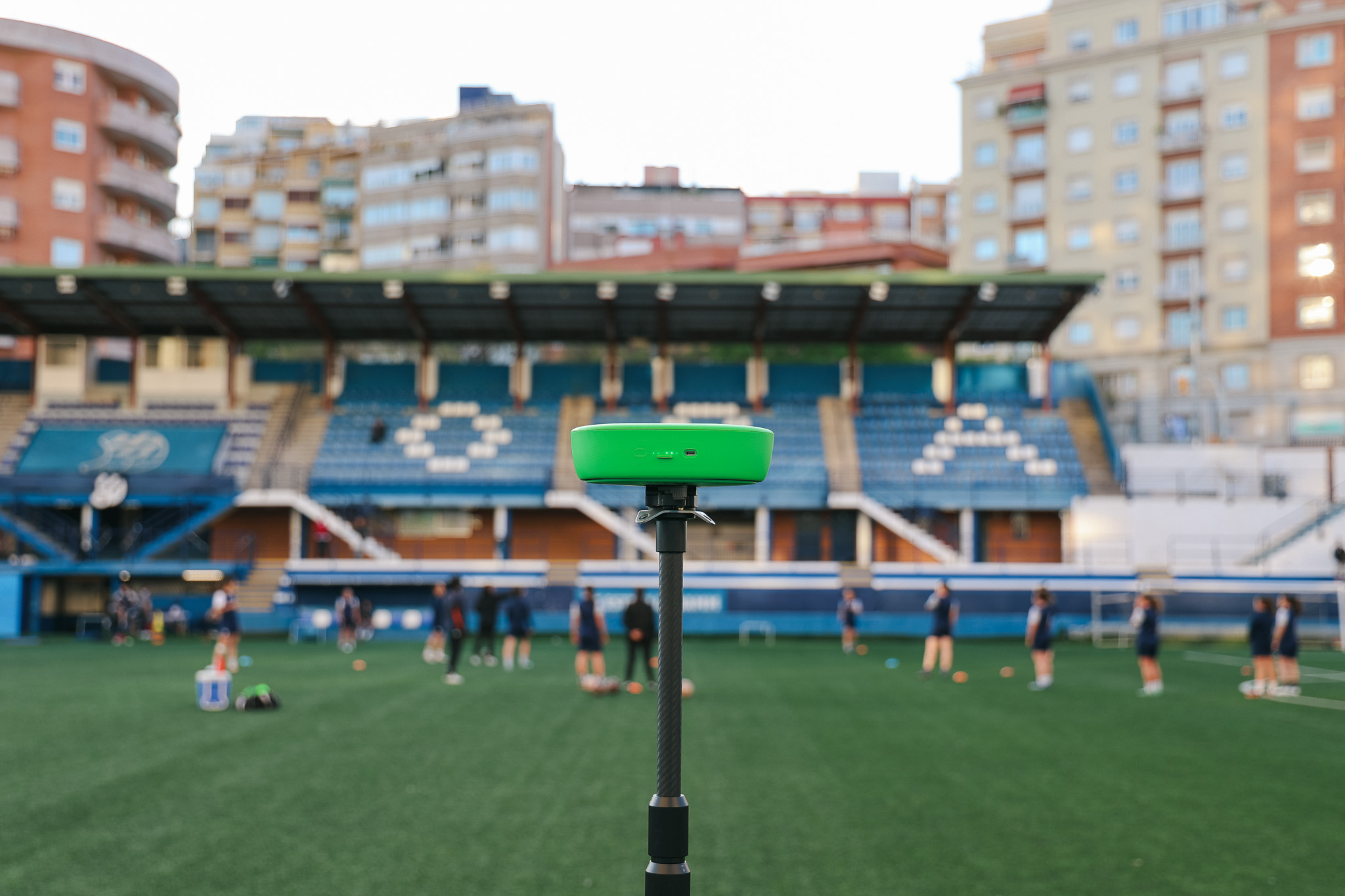
This is the hands-off option. You set up a camera before the game, start recording, and forget about it. The camera captures the whole field throughout the match. You watch the game. After the game you have full footage to review.
Veo Go works this way. Mount it on a tripod at the side of the field, start the session in the app, and it films automatically using your iPhone. The footage is stored in the cloud and you can watch it back from any device, clip highlights, and share them with your child or their coach.
Best for: parents who want to be present at the game and still have footage to review afterward. Also good for coaches who want full match recordings for analysis.
Option 2. Dedicated sports camera
A dedicated sports camera gives you better optical zoom than a phone and handles fast motion better. You still need to operate it during the game, but the footage quality is significantly better.
Key specs to look for: optical zoom of at least 20x, image stabilisation, and a fast autofocus system. Cameras in this category start around $300 and go up significantly from there.
Best for: parents who want to actively film and are willing to miss some of the game in exchange for more control over the footage.
Option 3. Phone with a gimbal
A gimbal is a stabiliser that mounts under your phone and counteracts your hand movement. It does not solve the zoom problem, but it eliminates shaky footage significantly. A decent gimbal costs $80 to $150 and makes phone footage look far more professional.
Best for: parents who already film on their phone and want a quick, affordable upgrade.
Where to position yourself
Camera position matters more than camera quality. The best camera in the wrong spot produces worse footage than a phone in the right one.
- Film from the side of the field, level with the midfield line. This gives you a clear view of the whole pitch and lets you pan to follow play without obstruction.
- Stay level with or slightly above the action. Filming from ground level makes players look crowded. Filming from too high loses detail. A tripod at about 1.5 meters works well for most youth sports fields.
- Avoid filming into the sun. Check where the sun will be during the match before you set up. Filming with the sun behind you means good exposure on your subject. Filming into the sun means silhouettes.
- Keep the goal in frame when possible. The most important moments in most youth sports happen near the goal. If you have to choose between following your child and keeping a goal in frame, the goal usually produces better footage.
- For indoor sports, position at the end line if allowed. This gives a wide view of the whole court and avoids the clutter of benches and coaches at the sidelines.
Veo Go films the whole field automatically
More than 40,000 clubs across 100 countries use Veo to store and share footage, with over 4 million matches filmed on the platform (Veo internal data, 2026).

Camera settings that make a difference
If you are using a phone or dedicated camera rather than an automated system, these settings will improve your footage immediately.
Frame rate
Film at 60 frames per second if your camera supports it. Standard video is 24 or 30 fps. At 60 fps, fast movement like a sprint, a tackle, or a shot looks smooth rather than blurry. It also gives you the option to slow the footage down in editing without it looking choppy.
Stabilisation
Turn on optical or electronic image stabilisation if your camera has it. Every camera shake gets amplified when you zoom in, so stabilisation is especially important if you are filming from a distance.
Exposure
On a phone, tap the subject on the screen to lock focus and exposure on your child before the action starts. On a dedicated camera, use the automatic sports mode as a starting point, then adjust if the footage looks over- or under-exposed.
Zoom
Use the minimum zoom that still gives you a clear shot of your child. The more you zoom in, the harder it is to keep the subject in frame, and the more camera shake is visible. If you are using optical zoom, this is less of an issue. If you are using digital zoom on a phone, stay below 2x where possible.
What to do with the footage after the game
Raw footage of a full match is rarely what you want to watch back. The most useful thing you can do with game footage is clip the moments that matter: your child scoring, making a good defensive play, or a drill in training that shows clear improvement.
If you are using Veo Go, clipping is built into the app. You mark the start and end of a clip in the timeline and share it directly. No editing software needed.
For coaching purposes, the most valuable clips are not the highlights. They are the repetitions. The same skill performed correctly and incorrectly across different moments in the match. A player who can see themselves making the same mistake three times in one game fixes it faster than a player who hears about it from a coach.
For more on how to set up a full recording of a youth sports match, read Guide To Recording Youth Sports. If you are filming lacrosse specifically, see Best Camera For Lacrosse.

FAQs
Veo Go stores footage in the cloud and lets you share clips directly from the app. You mark the start and end of the clip you want to share, and send the link. No editing software or file transfers needed. Coaches and players can watch clips on any device.
Stand at the side of the field, level with the midfield line, at tripod height of around 1.5 meters. This gives you a clear view of both halves of the pitch and lets you follow the ball without the obstruction of other parents or the bench. Film with the sun behind you to avoid backlit footage.
Yes, with an automated camera. Veo Go mounts on a tripod at the side of the field and records the whole match automatically without needing to be operated. You watch the game while it films. After the match, you have full footage in the app to review, clip, and share.
The main causes of shaky footage are hand movement and digital zoom. Use a tripod whenever possible. If you are filming handheld, turn on image stabilisation on your phone or camera. Avoid digital zoom above 2x on a phone as it amplifies every movement. A gimbal attachment for your phone eliminates most hand shake for around $100.
It depends on how hands-on you want to be. For parents who want to watch the game and still have footage, an automated camera like Veo Go is the most practical option. For parents who want to actively film and control the shot, a dedicated sports camera with optical zoom produces better results than a phone. A phone with a gimbal is a good middle ground if budget is a concern.