Sports Recruiting Software: What Athletes and Clubs Actually Need [2026]
Veo

The complete guide to sports recruiting software in 2026. What tools athletes need, how video fits in, and how Veo works alongside platforms like SportsRecruits for the full recruiting pipeline.
The college recruiting process has spawned an entire software category. Athlete profile platforms, coach communication tools, recruiting networks, video hosting services. The options multiply each year. Most families and clubs evaluate them separately and end up paying for several tools that only partially solve the problem.
This guide breaks down what sports recruiting software actually needs to do, how the main categories work together, and where Veo fits in the pipeline alongside dedicated recruiting platforms. The goal is a clear picture of what athletes need to invest in and what genuinely moves a recruiting process forward.
Build your recruiting footage library automatically with Veo Go
Every game filmed automatically. No operator needed. Full footage ready to clip and share with college coaches.
The two categories of sports recruiting software
Sports recruiting software falls into two distinct categories that serve different purposes. Confusing them leads to buying the wrong tools or expecting one platform to do everything.
Category 1: Video and footage tools
These tools handle recording, clipping, and sharing game footage. They answer the question: does the coach have footage to send? Without this foundation, everything else in the recruiting process is harder. A player who cannot share footage when a college coach asks for it loses momentum in the recruiting conversation regardless of how polished their athlete profile is.
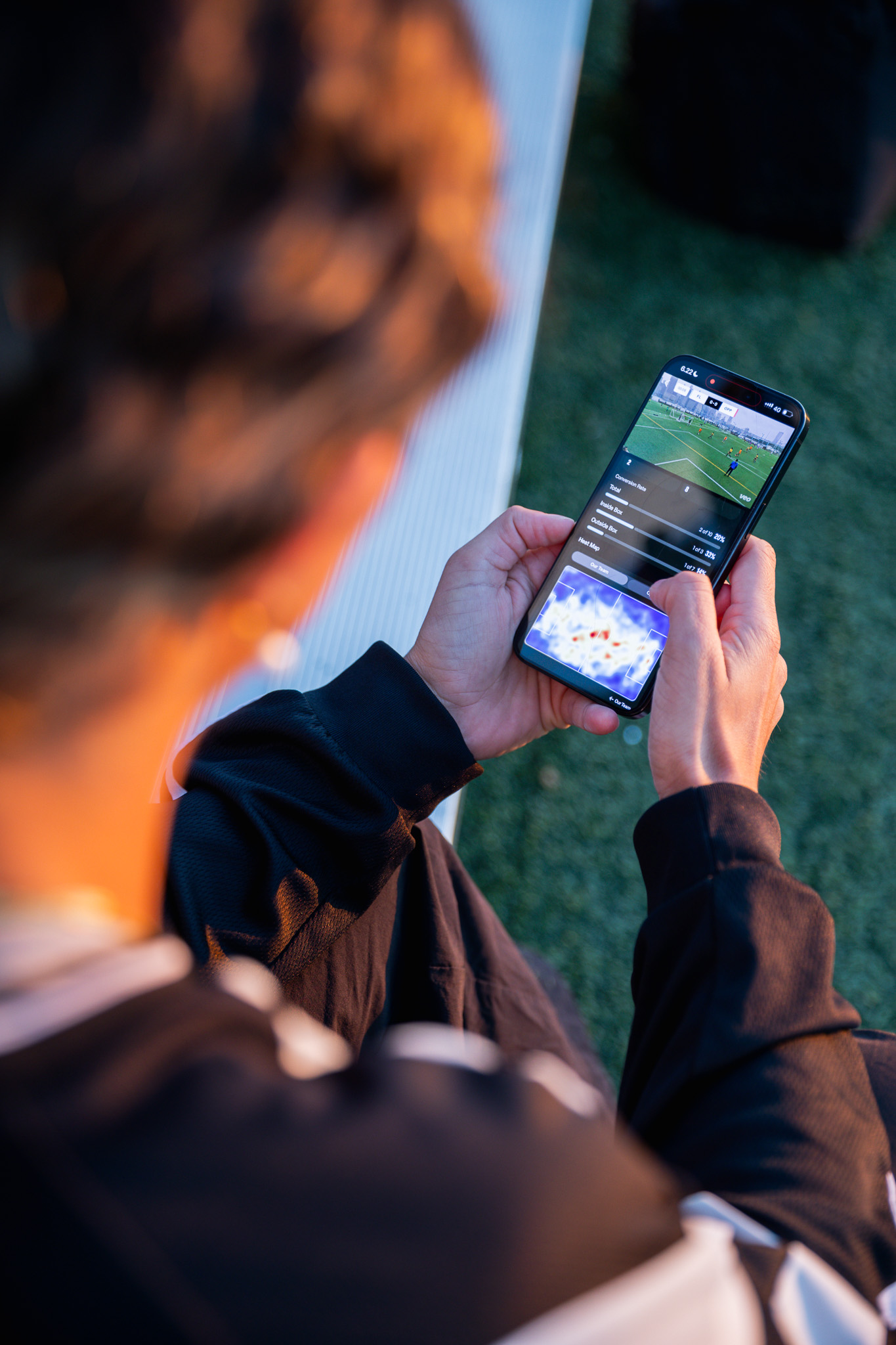
Veo is in this category. Veo Cam 3 and Veo Go record every game automatically. The Veo Editor lets players clip highlights and build recruiting reels directly from game footage. Footage is shared via a direct link that plays in any browser without downloading. Veo integrates directly with SportsRecruits so footage can be synced to a recruiting profile automatically.
Category 2: Athlete profile and outreach platforms
These platforms manage the communication and discovery side of recruiting. They host athlete profiles visible to college coaches, provide databases of college programs filtered by sport and academic criteria, and manage outreach and follow-up communication. SportsRecruits, NCSA, BeRecruited, and CaptainU are the main platforms in this category.
These platforms work best when the athlete already has strong footage to attach. An athlete profile without video gets significantly less engagement from college coaches than one with a direct link to a highlight reel and full game film.
How the two categories work together

More than 40,000 clubs use Veo to build recruiting footage libraries
More than 40,000 clubs across 100 countries use Veo to store and share footage, with over 4 million matches filmed on the platform (Veo internal data, 2026).
What makes recruiting footage effective
The footage component of recruiting is where most athletes underinvest. They film occasionally, rely on inconsistent parent footage, or wait until junior year to start building a library. The college coaches who evaluate video most seriously want to see athletes across multiple games and situations, not a single polished session.
- Consistency across games. A season library filmed from the same camera position at the same quality gives coaches a complete picture. A player who films every game from age 15 arrives at the recruiting conversation with two to three years of evidence.
- Full-field context. Wide-angle footage that shows a player's positioning and off-ball movement is more valuable than a follow-cam that only shows ball-contact moments. College coaches evaluate decision-making as much as technical skill, and decision-making requires the full field to be visible.
- Direct link sharing. Footage that requires downloading or a specific app login creates friction. A direct link that plays in any browser removes the barrier between a coach's curiosity and the footage they want to see.
For a complete guide to building a recruiting video, see how to create a college recruiting video.
Veo and SportsRecruits: the integrated pipeline
Veo has a direct integration with SportsRecruits, the leading college recruiting network. Athletes who use both platforms can sync their Veo footage directly to their SportsRecruits profile and video library. This means highlights created in the Veo Editor appear automatically in the SportsRecruits profile without manual upload or file transfer.
The combination covers the full recruiting pipeline: Veo handles automatic recording and highlight creation, SportsRecruits handles profile hosting, coach discovery, and outreach management. Athletes who use both have a footage library that builds automatically across their career and a communication infrastructure that gets it in front of the right coaches.
What to prioritise first
For athletes earlier in high school, the priority is footage. Start filming every game consistently as early as possible. The footage library builds passively across the season. An athlete who has three years of consistent footage when recruiting conversations begin has a significant advantage over an athlete scrambling to film a showcase session.
For athletes in their junior year and beyond, the priority is outreach. The footage library needs to already exist. At this stage, an athlete profile platform that gets the footage in front of college coaches efficiently matters more than adding more recordings.
For clubs managing multiple athletes across age groups, the priority is infrastructure: one consistent recording setup that films every game automatically and builds a footage library for every player without requiring anyone to coordinate it manually.
For a detailed guide on reaching college coaches, see how to get noticed by college coaches.

FAQs
Sports recruiting software covers two categories: video tools that handle recording and sharing game footage, and athlete profile platforms that manage college coach communication and discovery. The most effective recruiting setups combine both: Veo for automatic recording and highlight creation, and a platform like SportsRecruits for profile hosting and outreach. Neither category fully replaces the other.
SportsRecruits is the largest college recruiting network for club sports athletes. It integrates directly with Veo, allowing footage to sync automatically from Veo to a player's SportsRecruits profile. NCSA, BeRecruited, and CaptainU are alternatives with similar profile hosting and outreach features. The right platform depends on your sport and the college programs you are targeting.
Yes. Veo integrates directly with SportsRecruits. Athletes who use both platforms can sync their Veo footage to their SportsRecruits video library and profile automatically. Veo footage is also shareable via direct links that work on any platform, recruiting profile, or email without requiring a specific integration.
Start recording consistently as early as possible, ideally from the beginning of high school. Most college coaches begin evaluating players in their sophomore and junior years. An athlete who has filmed every game from age 14 arrives at those conversations with a two-year footage library. Start on an athlete profile platform in sophomore or junior year when direct coach outreach becomes appropriate.
Veo Go is the most accessible entry point for footage, using a compatible iPhone with a Veo subscription. Veo Cam 3 requires a hardware purchase alongside a subscription. SportsRecruits offers a free basic tier with paid upgrades. NCSA and similar platforms typically charge annual subscription fees ranging from a few hundred to over a thousand dollars. The combination of Veo Go and a free-tier recruiting platform covers the most important needs at the lowest combined cost.