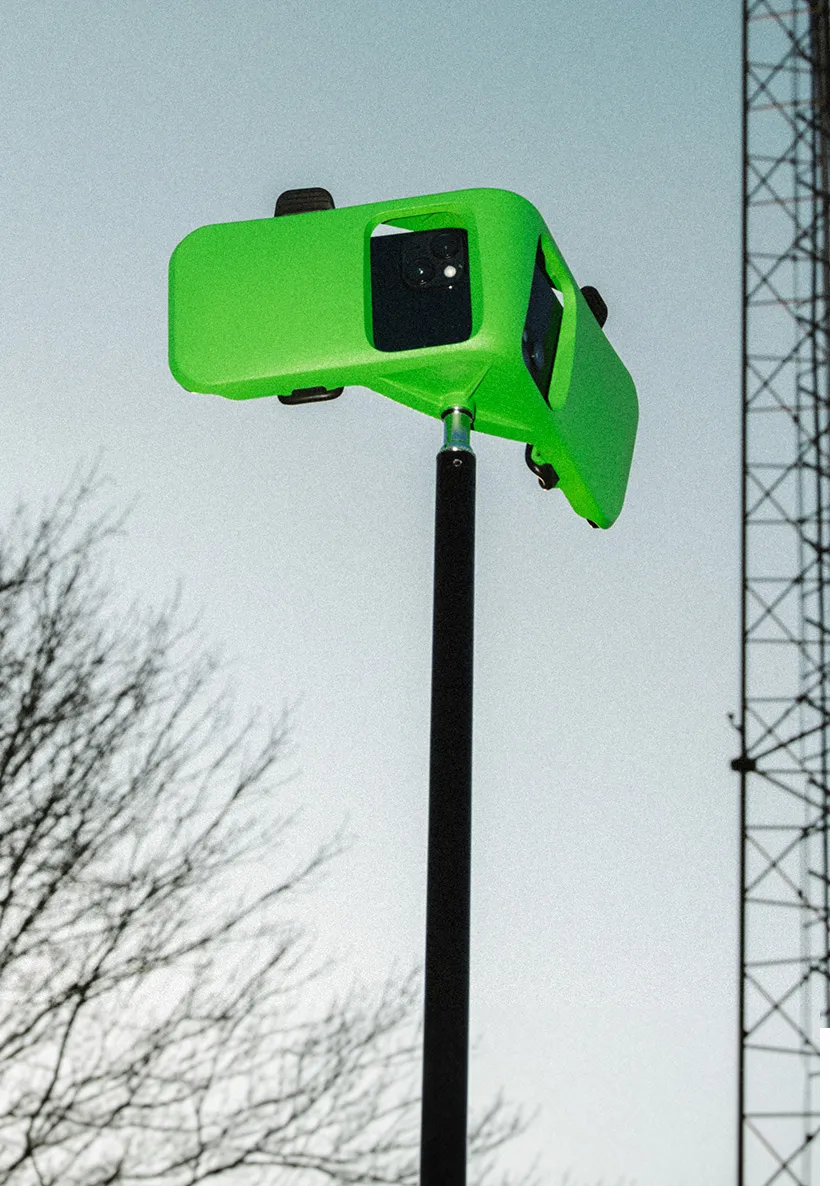
Veo Go
Veo Go
{amount}
/year (excl. VAT)
Subscription includes
- 1 team
- 15 users
- 6 months of match storage
- 20 recording hours per month

Veo Go iPhone Rig
{amount}
Free

Veo Go Tripod
{amount}
Free
Easy to set up
You only need two iPhones to record. Scan the QR code to connect, place the phones in the rig, and hit record. That's it.
Analyse on the spot
With Veo Go, coaches and players can record matches using iPhones and review the footage after it’s processed in the Veo Go app and Veo Editor. Veo AI follows the play and highlights key moments, making it easier to analyse performance and share important clips.
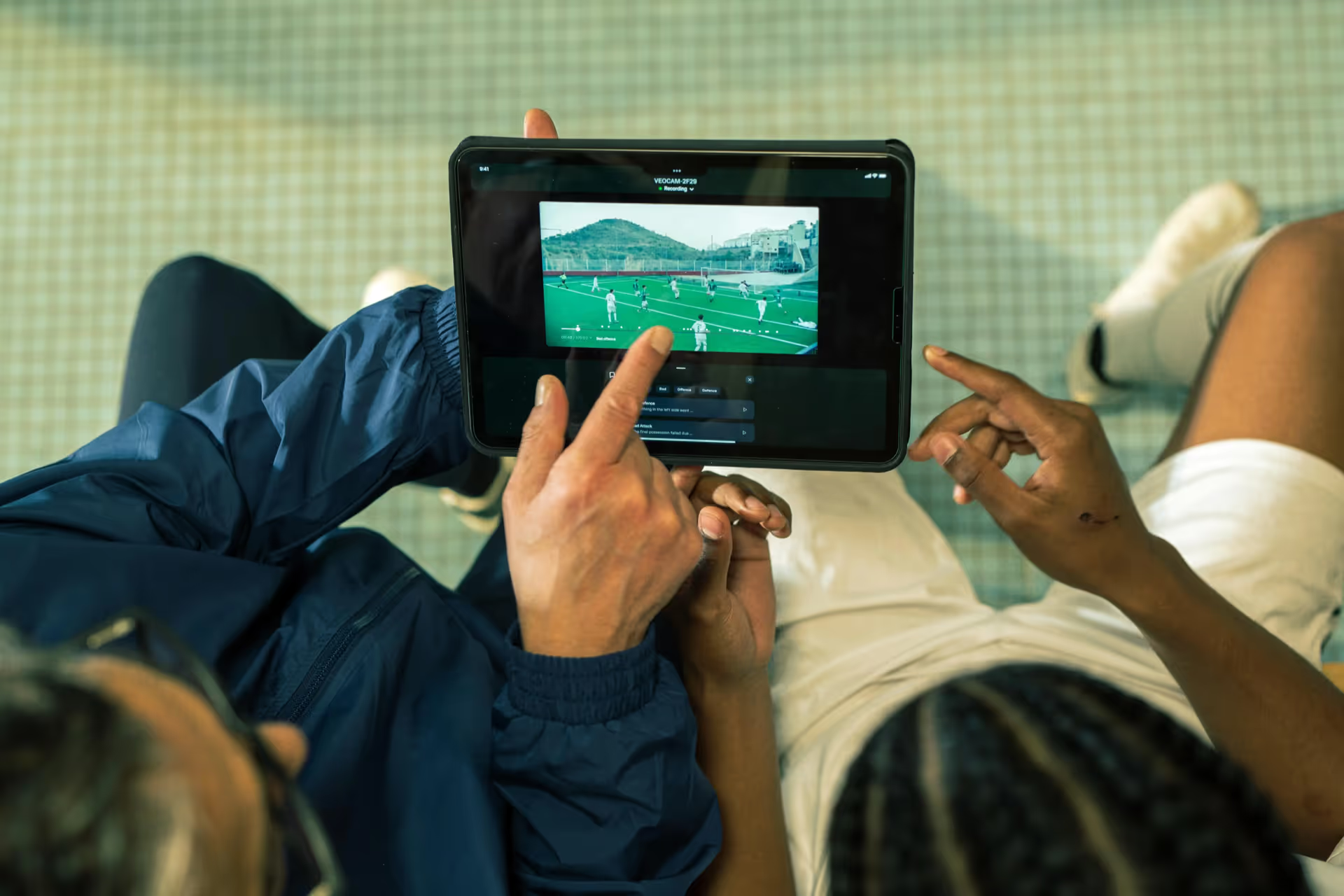
Smooth footage, every time
Shaky footage takes you out of the game. SteadyView, Veo’s AI-powered stabilization feature, smooths every recording automatically—no extra gear, no added cost. Built into every match, it delivers clean, professional footage so you can focus on what matters: the match.
Heading
Interactive analysis
Veo Go recordings are available in the Veo Editor, where users can control the view, zoom, and angles to review the match in more detail. Veo Go also uses Veo AI to follow the play and generate highlights, making it easier to capture and share key moments.
Trusted by clubs on all levels from all over the world





.webp)








Record and share with the Veo Go app
The Veo Go app keeps everything in one place – setup, recording, and sharing your highlights. Subscribe for full access, or join as a guest to help record.
FAQs
The two phones used for recording must be iPhones.
Yes, you can use the iPhone you already own. If you have two iPhones, you can use them together for an even better experience. If you only have one, no worries — simply pair it with a teammate’s iPhone.
No, you don't need to buy any new iPhones to use Veo Go. Use your own and connect with one from your coach or someone on your team.
The Veo Go app is available for any iPhone or iPad running iOS 17 or newer. The camera role is limited to iPhones equipped with an ultra-wide camera (iPhone 11 or newer, excluding iPhone SE and iPhone 16e).
See the full compatibility here.
The iPhones used for recording don't have to be the same model; any combination of the Veo Go-supported iPhones can be used to record.
Veo Go needs two devices to capture a match: two iPhones with ultra-wide cameras to control and record.
Yes, you can record in light rain. For more details about the water resistance of specific iPhone models, check Apple’s official information here: Apple Water Resistance Guide.
Veo Go supports a wide range of team sports, allowing you to record and review every match in full detail. At this time, our smart highlight creation feature is only available for football, but we’re continuously improving Veo Go to bring this feature and other advanced tools to more sports in the future.
The subscription covers the cost of storing your matches on Veo’s platform and running the necessary AI processing to ensure high-quality, automated video production.
This includes features like:
– Automatically detected events
– The ability to create and manage your own events
– Assigning players to highlights
– And much more
You can learn more about the Veo Editor here. Currently, Veo Go does not support the Veo Analytics, Veo Player Spotlight, and Veo Live add-ons.
It depends on the length of the match. The two recording phones need about 6GB of storage each for one hour of recording. This space is only used temporarily — once the recording is uploaded, the storage is freed up automatically.
Yes full matches can be downloaded and easily be shared with friends, family, and teammates.
All the highlight clips you create can be downloaded as MP4 files and shared.
All your recordings are available on the Veo platform using the link app.veo.co. You can freely use all the features in the Veo Editor. At this stage, Veo Go does not support Veo Analytics, Veo Player Spotlight and Veo Live add-ons.
Follow these quick tips to ensure the highest-quality recording:
– Attach the waterbag to the tripod to secure the iPhones
– Ensure that the full pitch is captured
– Do not move the tripod once recording has started
Once you stop recording, each iPhone will have captured one half of the pitch. Upload both video files to the Veo platform, and they'll be combined into one full match video covering the entire pitch.
Yes. Veo Go doesn’t rely on field markings. Our AI automatically understands the match and captures the action, so you can record even without visible lines.